Prove that a copy came from your video, second by second
A proof kit compares one copy with your original and records what matches: which seconds, how the pictures line up, whether the sound is the same, and what the files say about themselves. Every file is fingerprinted, so even people with no reason to trust us can verify the kit.
Paid plans include a set number of kits each billing period, and you can buy extra kits on top.
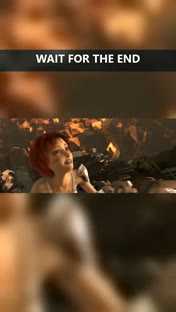
Sample data. Every kit adds a report, the platform's record of the copy and a SHA-256 file manifest.
How a kit is built
Choose the two videos
Start from any search result or from your dashboard. Provide your original, as a file or a link, and the link to the copy.
Both are sampled every half second
Each frame is fingerprinted in several ways: whole, centred, mirrored, split into quarters, and as a vertical strip of landscape footage. That way crops, flips and reframing still match up.
Matching moments become ranges
Runs of matching frames become ranges, with start and end times in both videos. Three frames from each range go through the keypoint check, and sped-up or slowed-down copies are aligned at their own speed.
The sound is compared separately
Each soundtrack is reduced to 16 frequency bands and compared in four-second windows. A shared sound alone never makes a kit confirmed.
Everything is recorded
Short clips, frames, the platform’s record of the copy and a SHA-256 manifest are saved in the report and the download bundle.
What is in a kit
- A verdict of confirmed or likely, saying how sure the match is and why.
- Side-by-side clips that start at the same moment, with mirrored copies flagged.
- A chart linking each matched range in your video to the same range in the copy, with times for both.
- The platform’s own record of the copy, including the uploader, post ID, and publish time.
- A download bundle with the report, the files, and a MANIFEST-SHA256.txt that anyone can verify with sha256sum -c.
- A private share link you can switch off at any time, and a way to start a takedown from the kit in one click.
- If you use Watermark Protection, a check of the copy for your own watermark code.
Where a kit stops
- A proof kit analyses up to two hours of each video.
- A mirrored vertical crop of landscape footage can fall below our matching thresholds, and low-detail footage gives fewer keypoints. In those cases, the kit reports no match.
- A sound match without a matching picture is reported as the same recording, not as the same video.
- A kit shows that the footage matches. It doesn’t decide who owns it, and the takedown steps ask you to confirm you hold the rights before any notice is written.
How many kits can I build?
Paid plans include a set number of proof kits each billing period, and you can buy extra kits on top. Bought kits never expire. Current numbers are on the pricing page.
Can someone else check the kit?
Yes. Send them the share link or the download bundle. The report recomputes every fingerprint when it’s opened, and the bundle’s manifest can be checked with the standard sha256sum -c command.
Does the copy have to stay online?
It needs to be reachable while the kit is being built. After that, the kit keeps its clips, frames, and record, even if the copy is taken down.
What is the difference between confirmed and likely?
Confirmed means the keypoint geometry lines up. Likely means the frames are at least 92% alike but the geometry check did not confirm it. Every kit states which one applies.
The rest of the platform
Each part works on its own, and they hand over to each other.
See a finished kit
Open a real kit our engine built from an edited, mirrored copy, then build one for your own video.